Summary Complaints about ads getting plenty of clicks but few WhatsApp chats in micro, small, and medium enterprise (SME) campaigns usually happen because most clicks drop off before the landing page finishes loading as a Landing Page View (LPV) on mobile [1, 6]. This leak grows when the page exceeds the 2.5-second Largest Contentful Paint (LCP) threshold and the 200-millisecond Interaction to Next Paint (INP) tap response limit [3, 4]. Based on the November 2026 TikTok Ads Manager LPV guide and a 37-brand study by Google and Deloitte Digital, a 0.1-second mobile speed improvement is linked to a 21.6% increase in lead-generation visitors advancing to form submission [1, 5]. Fixing this matters for Indonesian advertisers whose 235.26 million internet users mostly browse on mobile phones, though page speed alone will not rescue final sales if pricing is uncompetitive or admin replies are slow [8, 9].
Many business owners treat the daily "ad clicks" figure in their reports as the number of people who actually read their offer. Inside Meta Ads and TikTok Ads Manager, however, that activity is split into two distinct official metrics: Link Clicks and Landing Page Views (LPV) [1, 6]. The first mistake that drains SME ad budgets is assuming low WhatsApp volume must come from weak audience targeting or slow admins, then rushing to rebuild ad videos while half of all visitors never see the landing page [1, 6].
A second common mistake among online sellers is routing paid ads through a multi-link bio page or hiding product prices so prospects feel forced to message on WhatsApp. Every extra redirect adds another wait queue inside mobile in-app browsers, while research by Google and Deloitte Digital shows that even a 0.1-second difference on mobile closely tracks lead drop-off [5]. This guide breaks down what fails during those first 3 seconds, how it raises your cost per chat, and a 15-minute order of fixes.
Article Contents
- Why do hundreds of clicks in Meta Ads and TikTok Ads fail to turn into WhatsApp chats?
- What happens in the first 3 seconds when a buyer taps an ad on mobile?
- Which elements must appear above the fold so visitors tap the WhatsApp button?
- How much ad budget leaks from a slow page, and how do you calculate it?
- What is the 15-minute audit sequence to fix your ad landing page this week?
- Technical notes for website managers and media buyers
- Frequently Asked Questions (FAQ)
- References
Why do hundreds of clicks in Meta Ads and TikTok Ads fail to turn into WhatsApp chats?
Hundreds of ad dashboard clicks fail to turn into WhatsApp messages because ad platforms count a link click the millisecond a finger touches the screen, whereas a buyer can only tap your WhatsApp button after the landing page finishes loading as a Landing Page View (LPV) [1, 6]. When a mobile screen stays blank for more than a couple of seconds, visitors hit Back before either your tracking script or contact button even appears [1, 6].
According to official TikTok Ads Manager documentation updated in November 2026, one LPV is recorded only when a user clicks the ad and the destination page loads successfully while the user stays in that session [1]. In Meta's ecosystem, page-view tracking similarly requires the base Meta Pixel (PageView) script to execute in the visitor's browser [6]. As a rule of thumb, a natural 15% to 30% drop between Link Clicks and LPV is normal due to accidental taps while scrolling video or browser script blockers, but anything worse points to a page-load bottleneck [1, 6].
The gap between clicks and page views hits harder in Indonesia because of real-world devices and mobile networks. The 2026 survey by the Indonesian Internet Service Providers Association (APJII) across 8,700 respondents in 38 provinces recorded 235.26 million national internet users, or 81.72% of the population [8]. Statistics Indonesia (BPS) in its Indonesia Telecommunication Statistics 2024 report also noted that 72.78% of residents access the internet using mobile phones as the main device across nearly all households [9]. That means your ad page opens on mobile phones over fluctuating cellular connections, not on office desktops wired to fiber.
Use the scope matrix below to separate problems solved by fixing your landing page from problems outside the website:
| Funnel Stage & Dashboard Metric | Healthy Benchmark & Official Reference | Main Cause of Leak | Fixed by Improving the Landing Page? |
|---|---|---|---|
| 1. Impressions to Ad Clicks (Click-Through Rate) | As a rule of thumb, above 1.0% on lead campaigns | First 3-second video hook does not match buyer pain points | No (requires updating ad creatives inside the ad platform) |
| 2. Link Clicks to Page Views (LPV per Link Click) | As a practical benchmark, at least 70% to 85% of clicks become LPVs [1, 6] | Load time exceeds the 2.5s LCP limit or stalls on intermediate links [3, 4] | Yes, Fully Covered (compress assets & remove URL redirects) |
| 3. First-Screen Reading (Above the Fold) | Main element LCP loads within 2.5 seconds on mobile [3, 4] | Headline disconnects from the ad promise or a pop-up blocks the view | Yes, Fully Covered (match headline & clarify core offer) |
4. Contact Button Tap (Contact / wa.me Click) | INP tap response under 200 ms & valid wa.me format [3, 7] | WhatsApp button is buried below, freezes on tap, or uses wrong number format [3, 7] | Yes, Fully Covered (add lightweight sticky button & pre-filled text) |
| 5. WA Chat to Purchase (Closing Rate) | As a rule of thumb, 15% to 35% of incoming chats | Admin replies take over 10 minutes, shipping is high, or pricing is uncompetitive | No (requires fixing admin response workflow & price structure) |
What happens in the first 3 seconds when a buyer taps an ad on mobile?
In the first 3 seconds after an ad is tapped on a phone, the app's built-in browser (in-app browser) has to resolve tracking redirects, render the main image or headline before the 2.5-second LCP mark, and prepare the WhatsApp button to respond under the 200-millisecond INP limit [3, 4]. Failure in any of these three consecutive steps makes visitors abandon their inquiry even when they liked your ad video [1, 5].
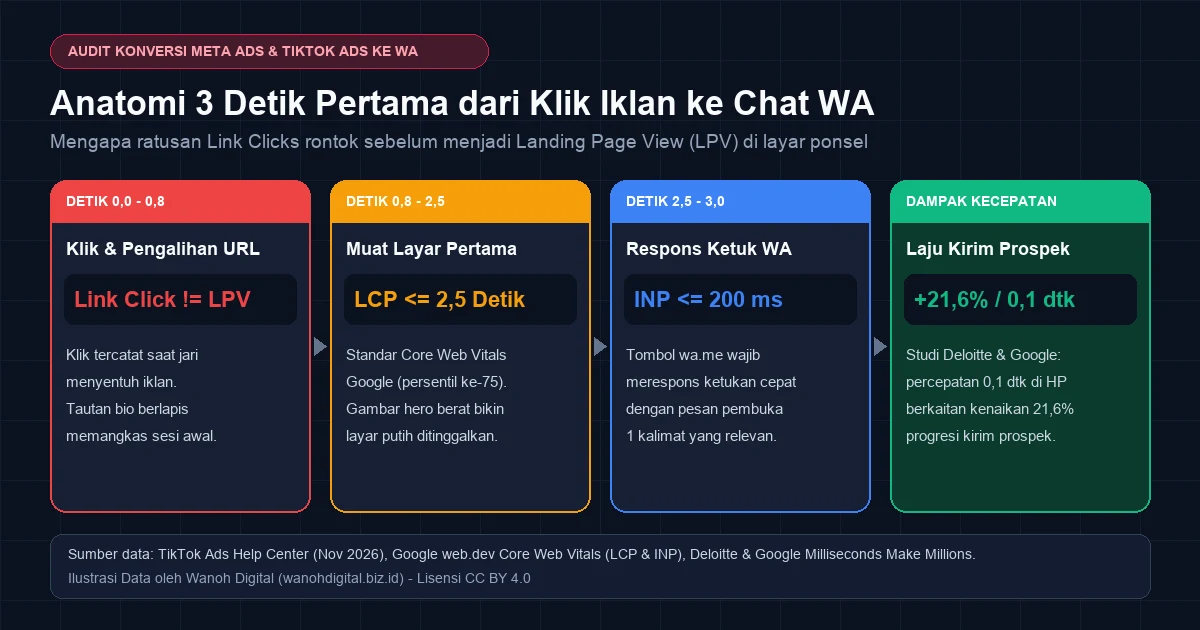
As summarized in the opening diagram, here is the technical timeline a buyer experiences from second 0 to second 3:
- Seconds 0.0 to 0.8 (Tracking Link Resolution and URL Redirects): Once the ad CTA is tapped, Instagram, Facebook, or TikTok opens its internal browser and forwards click-tracking parameters to your domain. As a rule of thumb, using a third-party link shortener or sending visitors to a bio-link page first burns nearly a full second before the real product page even starts downloading.
- Seconds 0.8 to 2.5 (Loading the Largest First-Screen Element / LCP): According to official Google Search Central and
web.devdocumentation, websites should keep Largest Contentful Paint (LCP) within the first 2.5 seconds at the 75th percentile across mobile and desktop visits [3, 4]. If a designer uploads an uncompressed multi-megabyte hero banner, visitors stare at a blank screen past 2.5 seconds and leave before an LPV is ever logged [1, 4]. - Seconds 2.5 to 3.0 (Button Tap Readiness / INP): Once the offer appears and the visitor's thumb taps the WhatsApp button, the browser must hand off to the chat app immediately. Google sets a good INP threshold at under 200 milliseconds [3]. Stacked tracking scripts or heavy animations often freeze the mobile thread so the tap does nothing.
The commercial cost of fractions of a second is documented in the Milliseconds Make Millions field study run by Google with Deloitte Digital and Fifty-Five over 4 weeks across 37 commercial brands in retail, travel, luxury, and lead generation [5]. On lead-generation sites, a 0.1-second mobile load improvement corresponded to a 21.6% increase in users progressing to form submission, while retail sites saw a 20.6% rise in progression toward the contact or basket step [5].
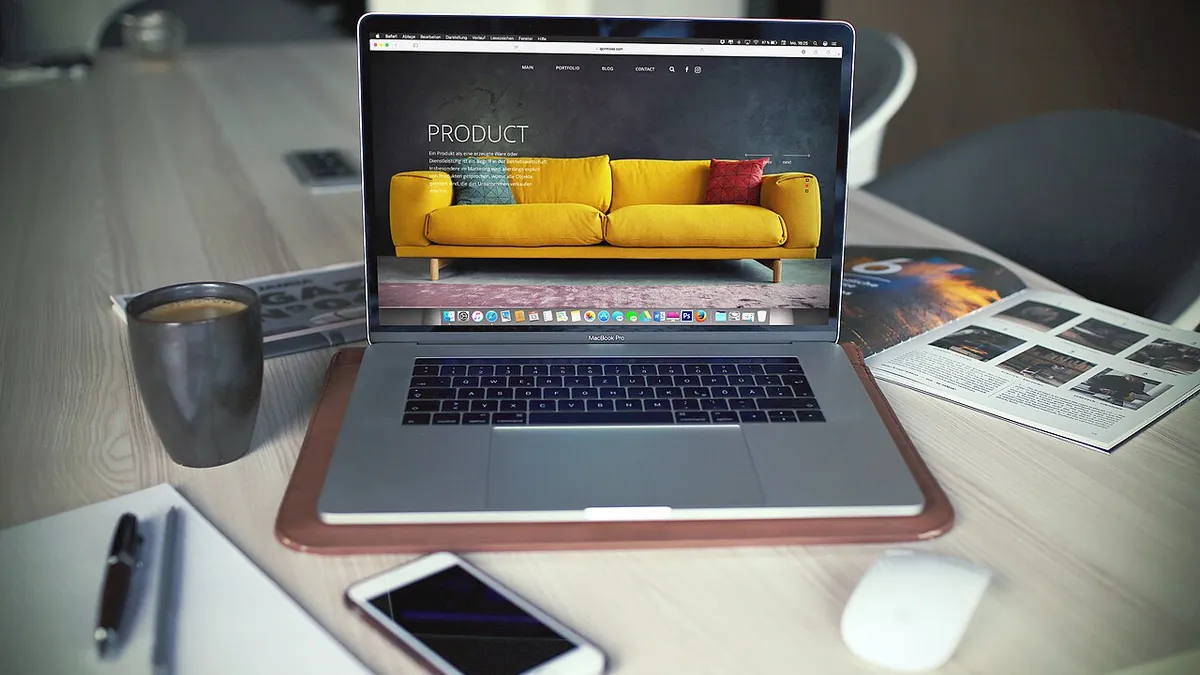
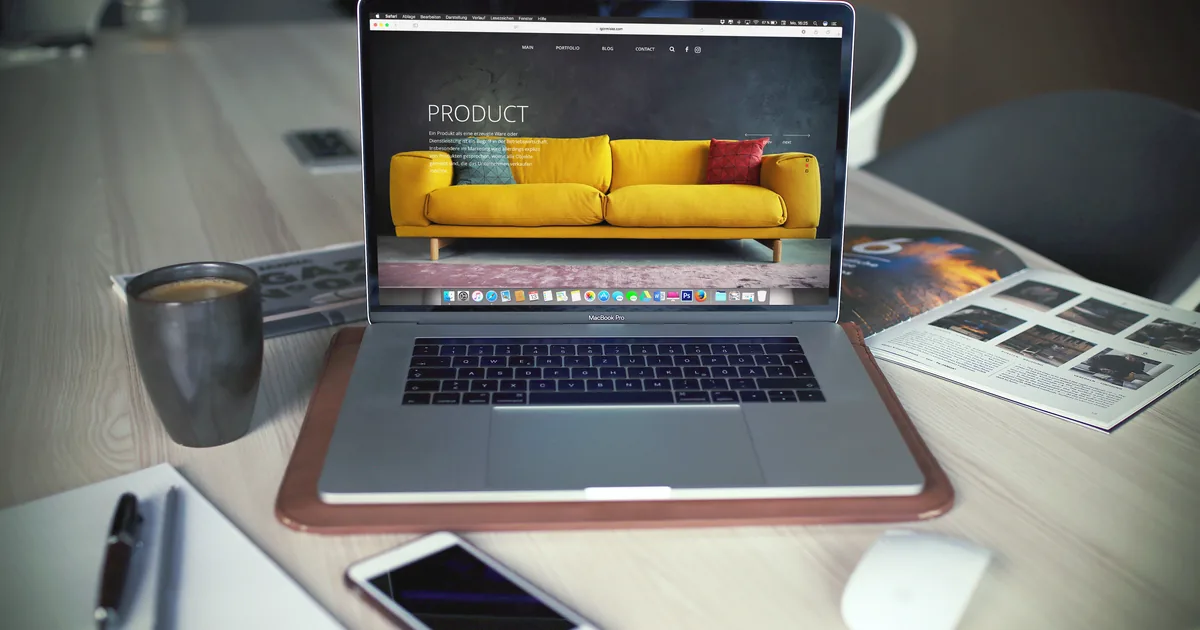
Source: Igor Miske, Wikimedia Commons / Unsplash, https://commons.wikimedia.org/wiki/File:Work_%28Unsplash_Px3iBXV-4TU%29.jpg. License: CC0 1.0.
The photo above shows the testing trap business owners often fall into when approving a landing page draft from a web vendor. A product page packed with large images feels instant on a laptop over office Wi-Fi, yet crawls when opened on a buyer's phone while commuting [8, 9]. To see how main-element loading works in practice, watch this official breakdown from the Chrome developer team:
Which elements must appear above the fold so visitors tap the WhatsApp button?
The first screen without scrolling (above the fold) must show four elements at once: a headline that directly matches your ad's promise, one sentence stating your business differentiator alongside a starting price benchmark, one lightweight real product photo, and a direct button using the official wa.me format with a short opening message [5, 7]. Together, these four pieces answer a new visitor's basic doubts in seconds without forcing them through a long sales page.
Make sure the four above-the-fold components meet these practical rules:
- Headline Alignment with Ad Creative (Message Match): As an illustrative example, if your ad video promotes "Daily Office Catering Packages Starting at Rp 28.000", the top line on your landing page must repeat that exact promise instead of a generic greeting like "Welcome to Our Official Website". Pair that headline with one specific differentiator using our guide on how to define your business uniqueness so you avoid price wars.
- Clear Starting Price or Core Package: Showing a starting price or service range on the first screen filters in buyers who actually fit your segment. Visitors who tap WhatsApp after seeing your price range carry far stronger buying intent than curious clickers messaging only because prices were hidden.
- Official Click-to-Chat WhatsApp Link Format (
wa.me): Per the WhatsApp Help Center, use the officialhttps://wa.me/<number>format with the international country code and zero+signs, leading0digits, parentheses, or dashes, plus a URL-encoded?text=parameter for the automatic opener [7]. Avoid stiff openers like "I want to buy right now"; use one casual question naming the advertised item so customers feel comfortable hitting send. - Full Control Over Page Layout: Sending paid ads to a dedicated page on your own domain puts load speed, tracking pixels, and contact button placement in your hands without competitor recommendations crowding the screen, as outlined in our guide on when a business needs its own website vs. relying on social media or marketplaces.
Below is a static HTML snippet for a high-priority hero image paired with an official wa.me button that your developer can drop straight onto the page [4, 7]:
<!-- 1. First-screen hero image: lightweight WebP, explicit dimensions, high priority without lazy-load -->
<img
src="/images/paket-katering-kantor.webp"
alt="Daily office catering meal box with protein and fresh vegetables"
width="800"
height="500"
fetchpriority="high"
decoding="async"
/>
<!-- 2. Direct WhatsApp button following official wa.me rules (no + sign or leading 0) -->
<a
href="https://wa.me/6281234567890?text=Hello%20Admin%2C%20I%20saw%20the%20office%20catering%20package%20on%20your%20website%2C%20could%20I%20check%20this%20week%27s%20menu%3F"
rel="noopener"
>
Ask Menu & Delivery Schedule on WhatsApp
</a>How much ad budget leaks from a slow page, and how do you calculate it?
In an illustrative scenario with a Rp 300.000 daily ad budget at Rp 1.500 per click (200 link clicks), lifting your landing page view (LPV) ratio from 40% to 80% at a constant 15% WhatsApp button tap rate doubles incoming chats from 12 to 24 per day while cutting cost per chat from Rp 25.000 to Rp 12.500. In that illustrative scenario, a 50% reduction in lead acquisition cost comes purely from plugging the page leak without adding a single rupiah to daily ad spend.
Let us walk through the numbers in that illustrative scenario step by step to see how it affects your cash flow:
- Starting Point (Slow Page, 40% LPV Ratio): In this illustrative scenario, out of 200 link clicks costing Rp 300.000 per day, only 80 people wait until the page loads completely, while the other 120 clicks (worth Rp 180.000 per day or Rp 5.400.000 over 30 days) vanish on a blank screen. With an illustrative 15% tap rate among those 80 readers, you receive 12 incoming chats at a real cost of Rp 25.000 per chat.
- After Fixing the First 3 Seconds (80% LPV Ratio): In this illustrative simulation keeping the Rp 300.000 budget and 200 clicks constant, compressing images and removing redirect hops raises completed page views to 160 LPVs. With the same offer appeal (15% WhatsApp button tap rate), incoming chats double to 24 chats per day and cost per chat drops to Rp 12.500 per chat.
- Impact on Product Margin: If 1 in every 4 chats converts into a paid order (an illustrative 25% chat closing rate), ad cost per buyer drops from Rp 100.000 to Rp 50.000. Always make sure this ad cost per customer stays below your remaining contribution margin before operating expenses and taxes by checking it against our guide on how to calculate selling price and Cost of Goods Sold (COGS) without selling at a loss.
Use the interactive calculator below to measure LPV leakage from your own campaign numbers and generate a clean wa.me link:
LPV Ratio Audit, Cost per WhatsApp Chat, and wa.me Link Calculator
Enter daily numbers from your Meta Ads or TikTok Ads Manager dashboard to measure click leakage before page load finishes, real cost per incoming chat, and the official WhatsApp link format.
https://wa.me/6281234567890?text=Hello%20Admin%2C%20I%20saw%20the%20package%20info%20on%20your%20website%2C%20can%20I%20check%20today%27s%20availability%3F
Note: The calculations above are illustrative scenarios based on the campaign numbers you enter. A higher LPV ratio lets more visitors see your full offer, while final sales conversion still depends on pricing fit and admin reply speed.
What is the 15-minute audit sequence to fix your ad landing page this week?
You can inspect and patch the main landing page leaks in about 15 minutes across three sequential steps: calculate your LPV-to-click ratio in the ad dashboard during the first 5 minutes [1], run a mobile speed check in Google PageSpeed Insights (PSI) in the second 5 minutes [10], and remove URL redirects while cleaning up your wa.me link in the final 5 minutes [7]. This order ensures you tackle the highest-impact bottleneck first.
Follow this short three-stage workflow with your media buyer or website manager:
- Minutes 1 to 5 (Audit LPV Ratio and Campaign Optimization Goal): Open your last 7 days of campaign reporting in Meta Ads Manager or TikTok Ads Manager, enable the Link Clicks and Landing Page Views columns, and divide LPV by Link Clicks [1, 6]. As a rule of thumb, if the ratio sits under 70%, confirm your ad set optimization goal is set to Landing Page View (not just Click) and turn on Web Content Preloading in TikTok Ads so initial mobile page files download ahead in the background at no extra click charge [1, 2].
- Minutes 6 to 10 (Test Mobile Score in Google PageSpeed Insights): Paste your ad landing page URL into Google's official PSI tool, which combines 28-day real-user data from the Chrome User Experience Report (CrUX) with throttled mobile lab runs from Lighthouse [10]. Focus on the Mobile tab and check two metrics: LCP should be at or below 2.5 seconds and INP should stay under 200 milliseconds [3].
- Minutes 11 to 15 (Strip Intermediate Links and Test the
wa.meTap): Replace every bio-link hub or URL shortener in your ad settings with the directHTTPSlanding page address. Finally, switch off Wi-Fi on your phone, tap the live ad link on mobile data, time whether the main offer appears before second 3, and verify that thewa.mebutton opens chat directly with one relevant opening sentence [7].
Copy and check off this 10-point checklist before raising your campaign budget this week:
10-Point Checklist: Auditing the First 3 Seconds of Your Ad Landing Page
Check off the items you have verified below, or click Copy Checklist to send them to your team or website vendor.
If you want to verify whether your current ad landing page is light enough on mobile without digging into code yourself, you can use Wanoh Digital's Free 24-Hour Website Check (capped at 10 sites per week so every page is checked manually without asking for admin passwords, complete with a 1-page summary on mobile speed and contact flow sent to WhatsApp). If your business does not yet have a standalone landing page or needs a sluggish old page cleaned up before scaling ad spend, review our transparent build workflow on how Wanoh Digital builds websites and inspect real websites and business systems we have shipped.
Technical notes for website managers and media buyers
Pass this concise checklist directly to your web developer or media buyer to execute the technical fixes:
- LCP Image Download Priority: Convert the main hero banner to WebP or AVIF (aim for under 100 KB as a rule of thumb), declare explicit
widthandheightattributes, addfetchpriority="high", and removeloading="lazy"on above-the-fold images [4]. - Deferring Third-Party Scripts for INP: Add
deferto non-essential analytics tags and remove stacked floating chat widgets that block the browser's main thread so INP stays under 200 milliseconds [3]. wa.meClick Event Tracking: Attach a lightweight click listener onwa.melinks to fire the standardfbq('track', 'Contact')event on Meta Pixel so the ad algorithm optimizes for users who actually tap WhatsApp rather than passive page opens [6].- Filtering TikTok Background Preload Traffic in Analytics: According to official TikTok documentation on Web Content Preloading, pre-fetching mobile pages on iOS and Android can generate around 10 short background hits per day carrying the User-Agent string
thirdLandingPageFeInfraat no ad cost [2]. Exclude that User-Agent string in internal analytics reports so your WhatsApp conversion rate is not skewed downward [2].
If you are still weighing whether your campaign only needs a single offer page or a full company site, read our breakdown of landing page vs. website for SME ad cost efficiency.
Frequently Asked Questions (FAQ)
What is a healthy Landing Page Views to Link Clicks ratio for SME ads?
As a rule of thumb on a lightweight landing page without layered redirects, at least 70% to 85% of total Link Clicks should register as Landing Page Views (LPV) [1, 6]. As a practical benchmark as well, if your LPV ratio falls below 50%, more than half of your click budget is being wasted on a blank screen before visitors ever read your offer.
Why do around 10 short visits per day show up in website analytics when TikTok ads start running?
Those ~10 daily background visits are normal behavior from TikTok's official Web Content Preloading feature on iOS and Android devices, which fetches initial mobile page files ahead of time so pages open faster when tapped [2]. TikTok does not charge ad spend for these preloading requests tagged with thirdLandingPageFeInfra [2].
Is it better to send ads straight to WhatsApp from the ad app or via a website landing page first?
For low-priced impulse products that buyers already understand immediately, click-to-WhatsApp ads directly from the app often move fast, though as a rule of thumb they tend to bring in many unqualified price checkers. For mid-ticket services, catering packages, clinics, or products that require explaining key benefits and starting prices, qualifying visitors through a fast landing page (< 2.5 seconds) sends far more purchase-ready leads to your admin [3, 5].
Does upgrading to a more expensive hosting plan automatically make a landing page load under 2.5 seconds?
Moving to a faster server only trims initial server response wait time, and will not bring LCP below 2.5 seconds if the landing page still loads multi-megabyte banner photos or a dozen heavy animation plugins [3, 4]. Compressing the first-screen image to WebP and removing intermediate redirect links almost always delivers the biggest speed gain at zero extra cost [4].
References
Verified Sources & References (10 Sources)Show References
- TikTok Ads Manager Help Center. "Landing Page View." TikTok Business Help Center, 01 November 2026. https://ads.tiktok.com/resources/help/article/landing-page-view (accessed 12 November 2026).
- TikTok Ads Manager Help Center. "About Web Content Preloading." TikTok Business Help Center, 15 October 2026. https://ads.tiktok.com/resources/help/article/about-web-content-preloading (accessed 12 November 2026).
- Google Search Central. "Understanding Core Web Vitals and Google Search Results." Google for Developers, 10 February 2026. https://developers.google.com/search/docs/appearance/core-web-vitals?hl=id (accessed 12 November 2026) (in Indonesian).
- Walton, Philip, and Barry Pollard. "Largest Contentful Paint (LCP)." Google web.dev, 14 August 2025. https://web.dev/articles/lcp (accessed 12 November 2026).
- Deloitte Digital, Fifty-Five, and Google. "Milliseconds Make Millions: Why Mobile Speed Can Slow or Grow Your Business." Google web.dev Case Studies, 18 June 2020. https://web.dev/case-studies/milliseconds-make-millions (accessed 12 November 2026).
- Meta for Developers. "Meta Pixel Documentation." Meta Platforms, 12 March 2026. https://developers.facebook.com/docs/meta-pixel/ (accessed 12 November 2026).
- WhatsApp Help Center. "How to use click to chat." WhatsApp Help Center, 20 January 2026. https://faq.whatsapp.com/5913398998672934 (accessed 12 November 2026) (in Indonesian).
- Asosiasi Penyelenggara Jasa Internet Indonesia (APJII). "Survei Penetrasi Internet dan Perilaku Penggunaan Internet Indonesia 2026." APJII, 10 June 2026. https://survei.apjii.or.id/ (accessed 12 November 2026) (in Indonesian).
- Badan Pusat Statistik Republik Indonesia (BPS). "Statistik Telekomunikasi Indonesia 2024." BPS RI, 29 August 2025. https://www.bps.go.id/assets/publication/2025/08/29/beaa2be400eda6ce6c636ef8/statistik-telekomunikasi-indonesia-2024.html (accessed 12 November 2026) (in Indonesian).
- Google for Developers. "About PageSpeed Insights." Google PageSpeed Insights Documentation, 05 February 2026. https://developers.google.com/speed/docs/insights/v5/about (accessed 12 November 2026).